For teachers and parents
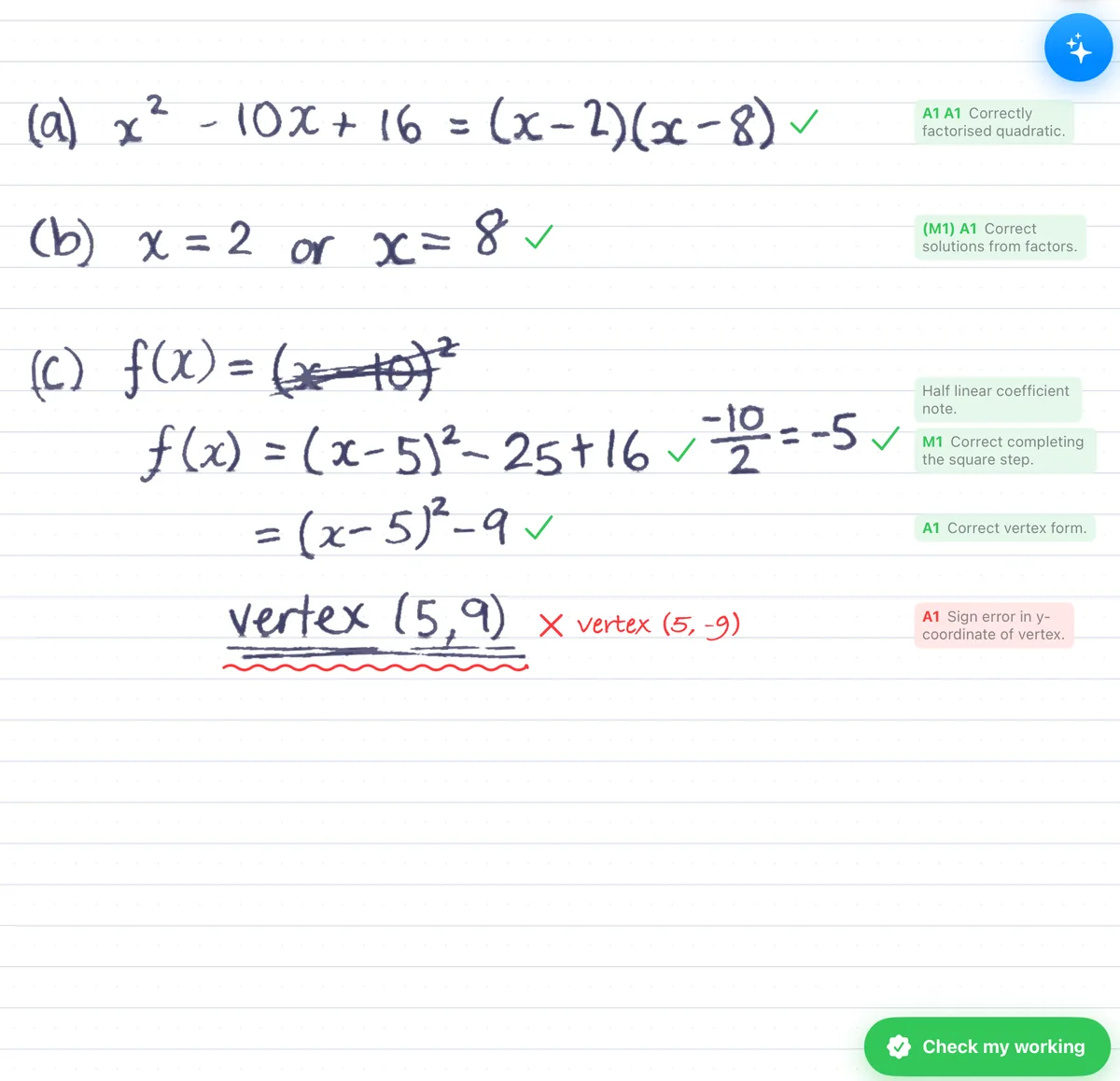
Independent practice, with the working marked.
Students choose what to practise, write their working, and read line-by-line marking on their own page.
What students do
- Choose a topic from AA SL, AA HL, AI SL or AI HL
- Work through original IB-style questions
- Write on iPad, or photograph paper working on iPhone
- Use the mistake log to decide what to revisit
- Sit timed IB-style mock exams
Good to know
Every mark has a reason
Each tick or cross sits on the line it belongs to, with the reason beside it, so students see exactly where marks were earned and lost.
Original IB-style questions
Questions and mock exams are written for the app in IB style, across AA and AI, SL and HL, at three levels.
Nothing to set up
No sign-up and no accounts. Students download the app and start practising straight away.
Built on well-established research
Maths Retriever is built on well-established findings about practice and feedback. Its Review deck is spaced repetition, so topics come back over several days rather than in one sitting. Students answer questions from memory, get feedback on each step, fix their own mistakes and study worked solutions.
Carpenter, Pan & Butler, 2022 · Emeny, Hartwig & Rohrer, 2021 · Yang et al., 2021 · Wisniewski, Zierer & Hattie, 2020 · Metcalfe, 2017 · Barbieri et al., 2023 · Full references
Try it with a class, free
We give schools class codes for a free trial. Email us what you teach and roughly how many students.
Email ushw@mathsretriever.com · Looking for a personal plan? Compare Free and Pro